URBAN Connect
You can contact us directly here!

TeamViewer 15
Version 15_QS ( WIN7 / 10 / 11 )
TeamViewer 14.2
Version 14.2_QS ( WIN XP )
TeamViewer 13
Version 13_QS ( WIN XP Embedded )
TeamViewer note
Note for older versions

TeamViewer Assist AR (Pilot)
Scan the QR code to go to the App Store or Google Play Store. Alternatively, click here: https://getassistar.teamviewer.com/redirectToStore
Remote maintenance
Support
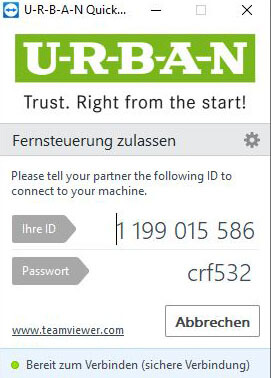
With the “TeamViewer” software, two participants can look at each other’s screen live via the Internet and edit settings together. In the case of Urban, this is passive remote maintenance.
Our support staff can thus provide you with optimum assistance by analyzing faults or malfunctions in the machine or system or jointly determining the causes of faults. The prerequisite is, of course, the consent of a trained employee on the customer side. TeamViewer” is intuitive to use and can generally be used without instructions.
Security
With end-to-end encryption (256-bit AES), two-factor authentication and other security measures, you are always on the safe side.
Declaration of consent
Urban GmbH & Co. Maschinenbau KG accepts no liability for faults not caused by it, even if they are close in time to the support provided. The entire session is recorded for monitoring and auditing purposes.
Our data protection information applies! By downloading and starting the programs, you agree to these conditions.

